


I have recently been trying new Linux distros and that search led me to one that has a little bit of all the popular operating systems. Arch-based Bluestar combines familiar elements from macOS, Windows, and Linux. For instance, it has a top bar that looks a lot like what you’d see on a typical Linux setup, with system indicators and quick functions. But then it also has a dock that resembles macOS. Plus, the desktop icons are arranged more like Windows. I love a customized desktop, and Bluestar is an interesting spinoff that makes Arch Linux very simple and beautiful to use.
A cocktail of all OSes
And is fairly easy to use
I found Bluestar to be a particularly beautiful distro. After spending a long time with NixOS, switching to Bluestar felt refreshingly simple. For those unfamiliar, Bluestar Linux is based on Arch and features a customized KDE Plasma desktop with a strong visual identity. It comes with up-to-date packages and kernel, a live version, a wide range of desktop and multimedia software, and both 32- and 64-bit versions. There’s also a dedicated Bluestar repository that offers additional apps beyond the standard Arch repos.
What sets Bluestar apart is how it brings together design cues from Windows, macOS, and traditional Linux environments. The top panel mirrors what you’d typically find in many Linux setups, offering quick access to system functions, indicators, and application controls. The desktop includes Windows-style icons for files and folders, while the bottom of the screen features a taskbar-like dock with centered icons, similar to macOS.
Bluestar ships with a dark theme, beautiful wallpapers, and a fully configured KDE Plasma environment that delivers macOS-level visual refinement right out of the box. That said, don’t mistake Bluestar for a clone of macOS or Windows. Underneath the polished surface, it’s still a Linux system based on Arch. And like any Arch-based distro, it comes with a learning curve.
Bluestar is a thoughtful distro
It has all the features you need
One of Bluestar’s best features is that it keeps Arch Linux’s speed, rolling releases, and fresh kernel while skipping the complex manual installation process. Updates are handled through a single click on the notifier icon, similar to Windows Update or macOS Software Update, but packages arrive as soon as they hit Arch.
On first boot, Bluestar immediately stands out on the KDE desktop. It offers a clean design and makes altering the look easy. While most KDE Plasma distros stick to the stock appearance, Bluestar takes a different approach. The themes are designed to match the layout, with consistent window borders, system icons, and menu transitions.
Small details like toggle switches and dialog windows follow the same aesthetic. Theme controls are easy to navigate, with plenty of options. Switching between dark and light modes takes a single click, and layout changes like hiding icons or customizing widgets only take seconds.
All the appearance settings are in one place, which means you can change color schemes, icon packs, and widget styles without downloading extras or running scripts. Panels and docks can be moved and resized however you like. Even if you’re new to KDE, shaping the interface to your taste takes little time.
It’s very usable as a primary OS
The OS is stable and fast

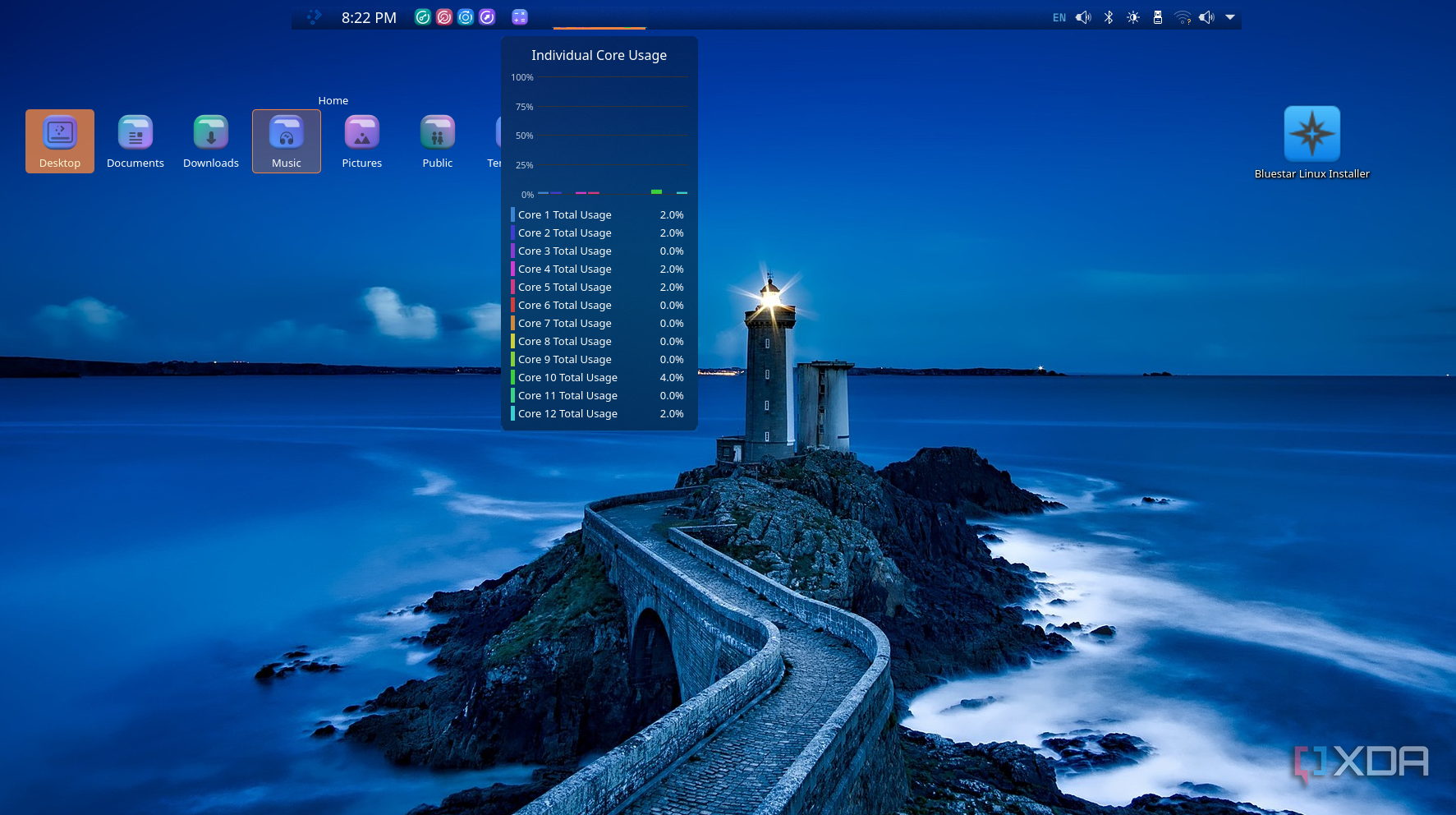
All the features in the world don’t matter if an operating system can’t deliver a pleasant daily experience. I have been using Bluestar in a dual boot setup, and it largely succeeds at providing a good experience. It has the same speed that you’d expect from Arch while offering a more usable interface.
Thanks to its KDE Plasma roots, Bluestar also offers multiple desktops, powerful window tiling and snapping (similar to Windows 11’s Snap Layouts, though less guided). There’s also a searchable launcher that lets you find apps quickly, whether you prefer a Windows-like Start menu or a macOS-style Spotlight search.
In terms of stability, Bluestar has been consistently reliable. I tested it on both older and newer hardware with no crashes or major bugs. Hardware support is excellent out-of-the-box thanks to the updated kernel. I had my printer, Wi-Fi, and touchpad all working immediately.
Bluestar ships with a well-curated set of applications that match the system’s overall look. VLC, Firefox, Thunderbird, and FileZilla launch with consistent themes and window styles. Even the update managers and installer tools follow the same visual theme. You can add new apps through Octopi, a GUI frontend that keeps the design consistent.
There’s an ocean of Linux distros
With Windows 10 reaching the end of its life, many users are starting to look at Linux as an alternative to upgrading to Windows 11. If you’re one of them, these 5 Linux distros are perfect for reviving PCs that can’t handle Windows 11. And if Linux isn’t your thing, here are 6 niche operating systems you can try that aren’t based on Linux.
link