


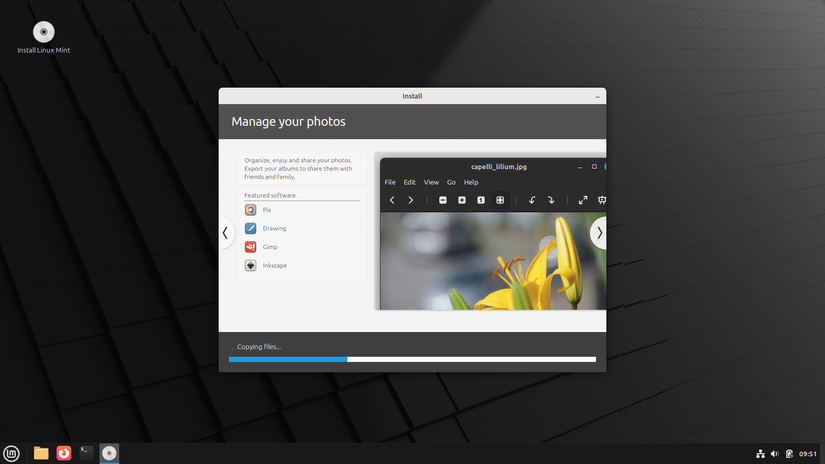
Linux is increasingly user-friendly, and as more and more apps become compatible, it is more tempting than ever to jump ship from Windows to Linux. However, there is one major drawback to Linux for anyone that wants to try it.
Linux is great for customization—with a catch
One of the best features about Linux is its customization potential. Whether you’re using a major distro like Ubuntu, or any of its major forks, or some small, home-brewed project created by an enthusiast. If you like KDE Plasma for your desktop environment, you can use it. If you prefer Gnome, you can swap it out with a few commands.
You have almost total control over what programs you use and what your system does. It is a tinkerer’s delight.
However much fun customizing Linux can be, it also leads to a potential problem for newcomers and veterans alike: It is really easy to break.
Breaking Linux is a vicious cycle
If you spend enough time tinkering with it, eventually something is going to break. Maybe you’ll find some instructions that are outdated, or maybe they’re written for a unique situation that isn’t applicable to you.
Once that happens, you’re stuck trying to fix the first thing that broke. On more than one occasion when I was first starting out with Linux operating systems, I found myself stuck in a loop of the OS becoming more and more bugged out as I tried to fix my earlier mistakes. Eventually, I would wind up doing a complete reinstallation.
I haven’t had to reinstall a Linux distro in a long time, but I do regularly have to sink time into fixing problems I create.
Linux’s greatest strength is also its downfall, especially for newcomers. It is really easy to break. Other operating systems, like Windows and macOS, place a much greater emphasis on protecting the operating system itself from user error.
However, it is possible to get many of the other perks of Linux—like privacy—without the hassle that can sometimes come with it.
Immutable distros make Linux more stable
Linux distros are normally very customizable, but it doesn’t have to be that way. There are specific Linux distros called immutable distros that make it difficult or impossible to modify the core operating system. That means no matter how much fiddling and tweaking you do, you’re not likely to break something accidentally.
To further reduce the risk of corruption, immutable distros don’t use standard installation tools like APT or DNF either. Instead, they use options like Flatpaks, which more or less run in isolation, so that nothing that goes wrong with the program can result in problems for the operating system. Nor are problems with one program likely to affect another, which happens occasionally on normal Linux distros when applications have conflicting packages or dependencies.


Updates to immutable Linux distros are “atomic,” which means they’re either applied completely or the operating system will roll back to the previous state. As it stands, Linux updates can be partially applied and cause problems if they’re interrupted in the middle.
All of those these factors combine to make a system that is much less likely to break because someone uses the wrong command. Immutable operating systems are also less vulnerable to malware, though no computer is completely immune.
Which immutable distro should you use?
The most popular immutable Linux distro is Fedora Silverblue, and it is the one I’d recommend you start with. Silverblue is built on Fedora—which is stable to begin with—and it uses the Gnome desktop environment, which most macOS and Windows users will find very intuitive.
If you’d like a desktop environment besides GNOME, Fedora also has variants that use KDE Plasma, Sway, Cosmic, or Budgie. Any of them would be a great option if you need a PC for basic office work, scrolling the internet, and other day-to-day tasks.
If you’re interested in gaming, then I’d recommend you try out Bazzite. Bazzite is built around Fedora, but it has been customized and tweaked to making gaming on Linux as painless as possible. It also uses KDE Plasma for its desktop environment, which is my preferred option these days. I haven’t permanently migrated my desktop PC over to Linux, but Bazzite will certainly be on my short list when I finally do.

What Is Bazzite? Hands-On With the SteamOS Alternative
Let’s take a crystal-clear look at this Linux distribution for gamers.
Like all Linux distros, immutable distros can be installed on a flash drive or external SSD, and I’d recommend you do that to try them out before installing them on your main PC.
They’re an excellent choice for beginners or experienced Linux users alike, especially if you’re tired of troubleshooting when something goes wrong.
Most of the time, I want my daily driver to “just work” without much intervention on my part, and immutable distros go a long way towards that goal.
link