


Windows and macOS may be more common in the general populace, but the operating system rabbit hole goes pretty deep. You’ve got the Linux ecosystem, which houses everything from useful general-purpose and beginner-friendly OSes to completely insane distros that, surprisingly, have their own utility. Then there’s the alternative OS scene, where you’ll find a ton of options that are equal parts ingenious, intimidating, and quirky.
While these operating systems are a lot of fun to tinker with, many of them have deal-breaking issues, and aren’t worth setting up on a dedicated PC. As someone who spends a lot of time messing around with different operating systems, here’s my collection of OSes I’d rather run inside virtual machines instead of a bare-metal setup.
Haiku OS
Give me more app ports, and I’ll install it on my PC

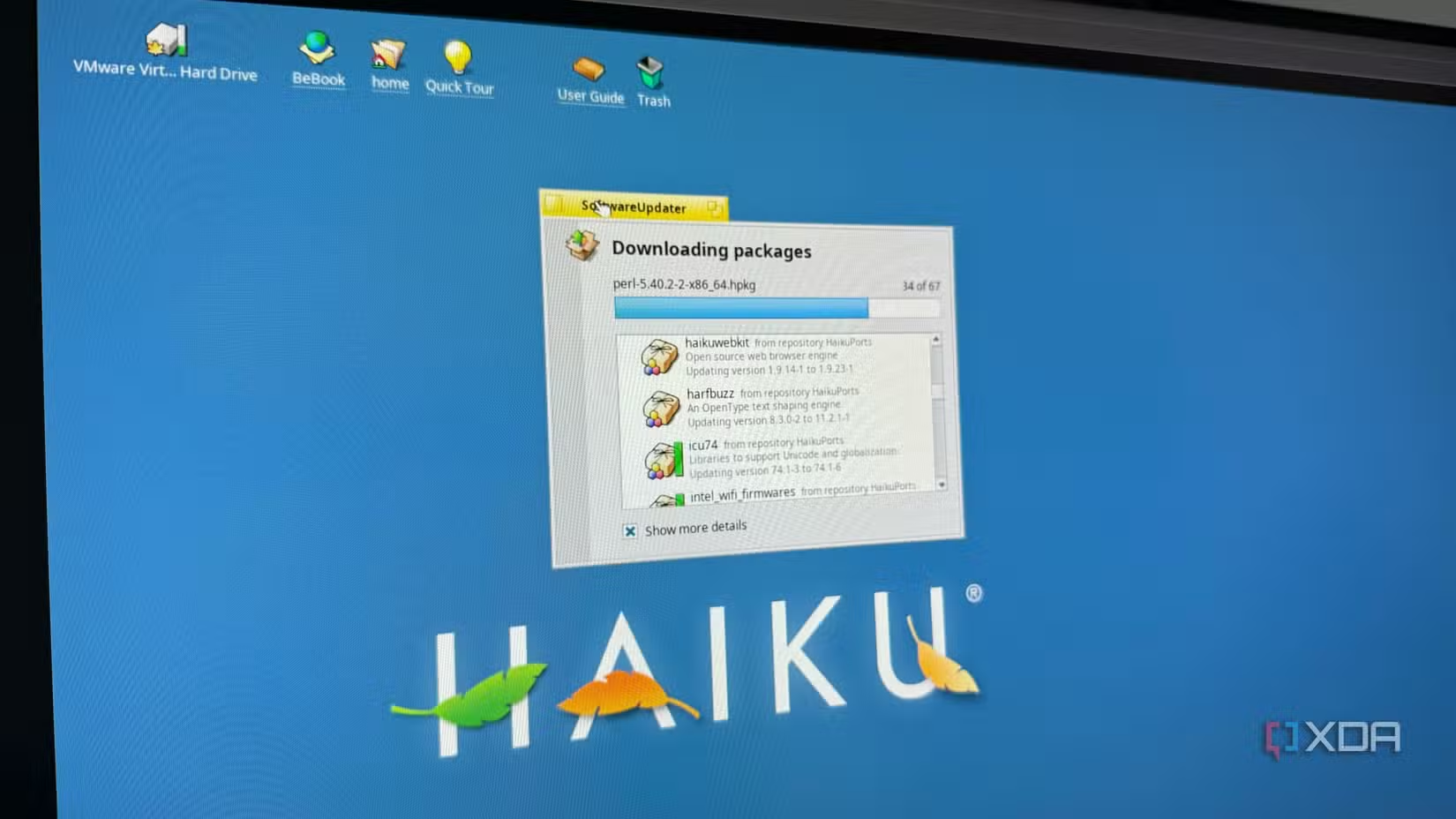
Starting off with an operating system that’s almost at the cusp of becoming a worthy option for retro PC lovers, Haiku OS has plenty of things going for it. Its ‘90s UI is pretty nostalgia-inducing, and the BeOS file system is a breath of fresh air for Windows and Linux users. It also doesn’t require the latest and greatest hardware, and can run on systems older than a decade without any issues.
While there has been tremendous progress in porting over FOSS applications to Haiku OS, a lot of work still needs to be done. The default browser just doesn’t cut it, while Iceweasel, the rebranded Firefox derivative, can result in performance dips with too many tabs open or videos playing at high resolutions. Although I have yet to encounter too many broken ports, some of them can result in weird glitches or even outright freezes/crashes. With a little more time, I’m certain Haiku OS will be good enough as a daily driver. But until we get more ports, I’d rather continue running it on a VM.
ReactOS
An open-source alternative to Windows


I grew up in the golden era of Windows XP, and it’s my favorite member of Microsoft’s OS family. But since Windows XP is essentially in the software graveyard now, ReactOS is meant to replicate all the fun aspects of the operating system without the privacy-intrusive services, nagging advertisements, and bloated processes of modern Windows versions.
Unfortunately, ReactOS’ hardware compatibility leaves a lot to be desired, as newer PCs have trouble booting it. For an OS still in its alpha stage, it’s got a fair selection of pre-installed apps, though you might want to stay off the Internet. Besides some performance issues, this NT-compliant OS doesn’t include a firewall, which is why I don’t even use web browsers when tinkering with my ReactOS VM.
ESXi
Fewer compatibility issues with a virtualized setup
Although ESXi is meant to be used in a bare-metal environment, its compatibility issues, limited functionality, and Broadcom’s anti-consumer approach make it a terrible choice for modern home labs. But since I’m already studying DevOps and sysadmin tools, familiarity with ESXi is pretty important. The solution? Tinker with it inside a virtual machine!
Okay, hear me out for a second. ESXi is extremely finicky about its Ethernet drivers, and unless you’ve got the right card, it might not even connect with your LAN. While I didn’t encounter such an error myself, I’ve heard stories about ESXi refusing to recognize storage drives during the installation process. But if you’ve got relatively decent PC specs and another virtualization platform (that supports nested virtualization), you can tinker with a VM-based ESXi setup. Trust me, it runs a lot more smoothly than it might seem.
SerenityOS
Easier to build inside a VM
When you set out to install a new OS, you’d probably imagine using an ISO or IMG file. Unfortunately, SerenityOS ditches conventional image formats and instead needs to be built manually. Well, the added complexity makes sense, because SerenityOS is meant for ace tinkerers and not your average Joe, though the convoluted installation process is only part of the problem.
While this alternative operating system includes some Linux ports, you might have a hard time tracking down your favorite FOSS app. Installing the application ports requires more legwork (or handwork, since you’ll have to type a lot of commands), and even then, they’re not always guaranteed to work.
Whonix
It’s designed for VMs, after all
Unlike the rest of the operating systems on this list, Whonix is a highly secure OS meant to be run inside a virtual machine. Or maybe I should say virtual machines, since you’ll have to run two VMs in tandem for the ideal setup. The first one, Whonix-Gateway, serves the sole purpose of routing traffic to the Tor network, and it’s the reason why the whole setup maintains your privacy.
Then there’s Whonix-Workstation, which connects to the Gateway VM and features a hardened version of Debian to bolster the security of the virtualized environment even further. I wouldn’t call it 100% foolproof, since certain breeds of malware can escape virtual machines and infect the host. However, Whonix is really useful if you want to maintain your privacy using nothing more than a pair of virtual machines.
Some operating systems work better in virtualized environments
Aside from the five OSes I’ve mentioned so far, a couple of others deserve a shoutout. There’s Suicide Linux, which nukes the hard drive should you enter a wrong command. If you’re into server platforms and want to mess around with a Unix-based distro, you can use OmniOS inside a VM – provided you’re willing to deal with the extra performance overhead from nested virtualization. I also tested Hannah Montana Linux in a VM a few months ago, partly because I was curious about how the distribution would perform in 2025, and also because I wanted to see what the meme OS was all about.
link