


Aside from their highly customizable nature and lack of privacy-intrusive services, live boot is one of the best features of Linux distributions. After all, the ability to boot into a random distro and play around with it before relegating a dedicated storage drive is pretty handy, regardless of whether you’re an ex-Windows/macOS user looking for the ideal replacement or a distro-hopper who loves tinkering with different flavors of Linux.
I fall into the latter category and have used live boot to experience numerous operating systems over the course of my home lab journey, ranging from server-oriented platforms to the more obscure general-purpose distros. So, here’s a list of the coolest operating systems you can boot from a USB. And yes, operating systems, because there’s more than just Linux distros on this list.
5
GhostBSD
A FreeBSD distro that isn’t intimidating at all
When I first came across GhostBSD, it seemed like a cool distribution to familiarize myself with the FreeBSD landscape. But having set up overly convoluted operating systems in the past, I’d braced myself to deal with a variety of compatibility issues and hours of frustration trying to set up the most basic applications.
Turns out, GhostBSD isn’t just a simple distribution for FreeBSD lovers – it’s also a high-functioning, general-purpose operating system for folks who need a lightweight OS to power old machines. Software compatibility, minus certain note-taking apps and Steam, is impeccable, with GhostBSD housing most of the FOSS services you’d find on a Linux distro. It also works splendidly with Bhyve, a hypervisor I’d wanted to experiment with for my DevOps projects.
The best part? GhostBSD supports live boot, so you can get accustomed to its FreeBSD quirks without dealing with a bare-metal installation or configuring a dual-boot setup.
4
Qubes OS
For folks who love virtualization as much as I do
Qubes OS caught my eye when I was knee-deep into virtualization, but contrary to other distros that rely on this facility, it’s not designed for servers (though you can technically use it in that manner). Instead, Qubes OS is meant to be a highly secure platform for tinkerers who want to leverage the top-tier isolation facilities offered by virtualization.
All the apps and services on this quirky distribution run inside isolated environments, aptly called qubes. Each qube operates similarly to a virtual machine, and uses pre-defined templates based on other operating systems, ranging from Debian and Fedora to Whonix and Windows. The qubes also possess their own filesystem, network stack, drivers, and I/O devices – and you can even rely on ultra-lightweight, expendable qubes that return to nothingness once you shut them down.
While Qubes’ heavy reliance on virtualization can result in a slight performance loss as well as device passthrough issues when compared to conventional distros, it’s worth trying out, especially if you’ve got a spare USB stick.
3
Kali Linux
Or ParrotOS, if you want an alternative for your hacking box


Kali Linux is often heralded by the community as the best starter kit for pen-testing enthusiasts, and for good reason. It comes with several industry-grade data forensics, analysis, and vulnerability detection tools you could ask for, all while bringing the familiar UI you’d find on Debian-based distributions. Even if you’re not planning to deal with hardcore security workloads, you can use Kali Linux to pinpoint the vulnerabilities in your home network and take steps to patch them out.
Plus, live booting Kali Linux isn’t just good for wrapping your head around the distro’s features, but it’s also pretty effective if you want a disposable setup for your penetration-testing escapades. Alternatively, you could go for ParrotOS, which is another neat distribution for your cybersecurity needs.
2
Windows 11
Bet you didn’t see this one coming
After playing extensively with live boot on Linux, I wanted to see if it’s possible to achieve something similar on Windows. And while it’s not exactly the same as the clean experimentation environment (that gets wiped after every restart without persistent storage) offered by typical Linux distros, you could technically create a fully-functional Windows 11 live boot USB like I did last year. I used the Windows To Go option offered by Rufus for the experiment, and it worked better than I expected.
Sure, it took a terribly long time for the USB-based Windows 11 setup to finish updating, but it worked just fine for a general-purpose system. Heck, I even managed to get some games running on Windows 11 “live USB.” You can also use the drive to boot into the same Windows 11 installation from a different machine, though you may have to reinstall the display drivers to avoid GPU issues (and yes, I did test that functionality when I built this weird project).
1
Tails OS
It’s meant to be booted from a USB

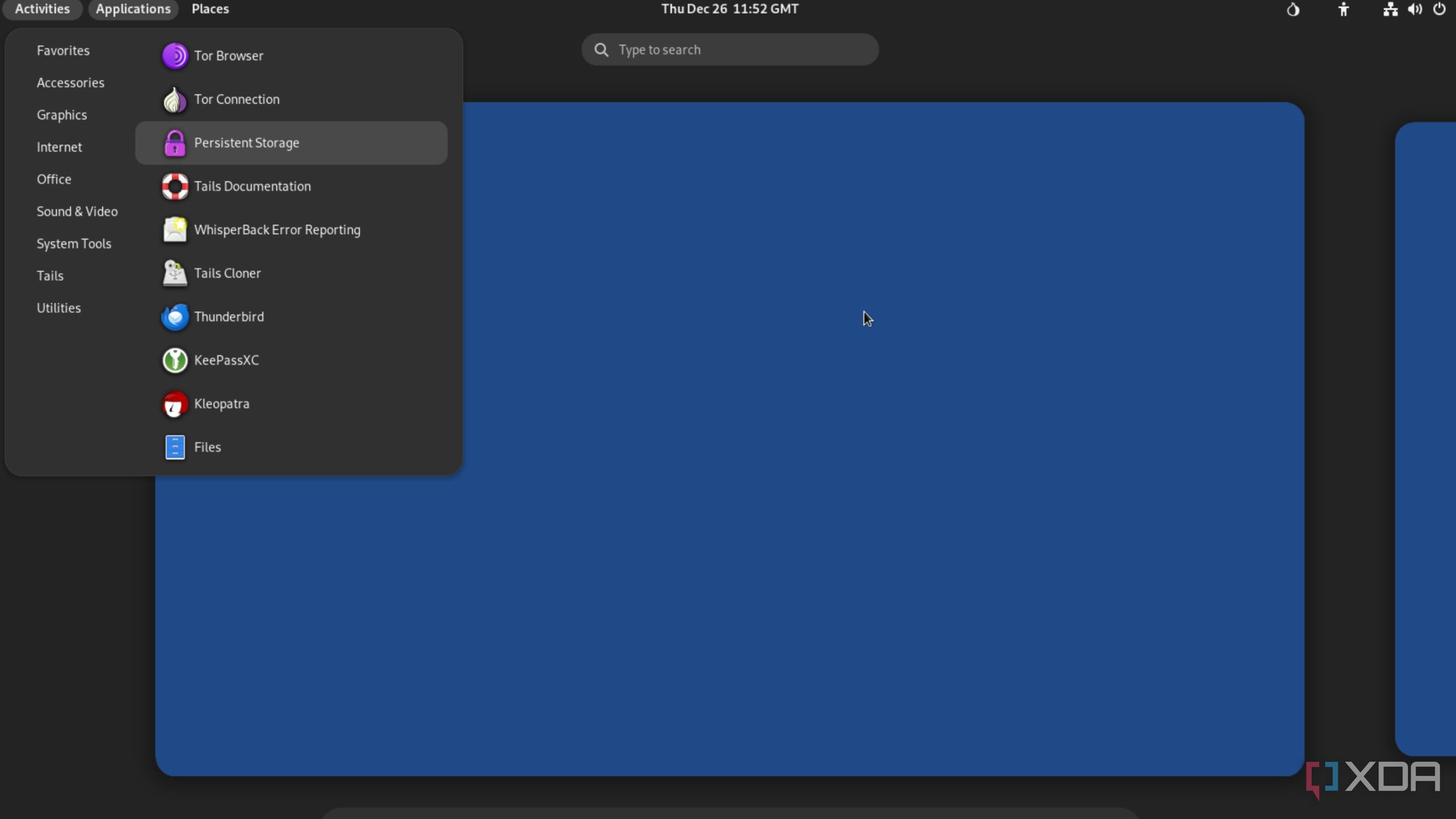
All the operating systems I’ve mentioned so far include a live boot environment, but are intended to be used as bare-metal (or virtualized) setups. However, Tails OS is an outlier, as the Linux distribution is purposefully designed to run off a USB drive. As a distribution for privacy-conscious folks, Tails is meant to be an amnesic operating system, which loses every ounce of data – and thereby all traces of your activity – when you power off your machine.
Under the hood, Tails OS relies on the Tor network to obfuscate your online activities, preventing online trackers from seeing through the veil of anonymity. It also supports persistent storage, so you can save some essential data on your bootable USB drive instead of setting everything up from scratch whenever you boot your system – though you’ll have to deal with the privacy ramifications of doing so.
There’s no shortage of OSes with built-in live boot functionality
If you’re still looking for other fun operating systems you could tinker with using live USB drives, I’ve got some more suggestions. NixOS is perfect for Linux maestros looking for a complex and innovative distribution for their experiments, while Bluestar is worth checking out if you want a niche distro that borrows design elements from Windows and macOS.
link